Case Blue earns Order of the Hex award!

Order of the HexReviewer James Cobb from Grogheads.com seems to also really like Decisive Campaigns : Case Blue: “Finding a sweet spot on the Eastern Front is tougher than supplying Stalingrad by air. This is a must-have for wargamers looking for the right mix of detail and abstraction on the Eastern Front.” Read more on Grogheads.com.

Posted in DC:Case Blue | Leave a comment

Small General : Last call for bugs!

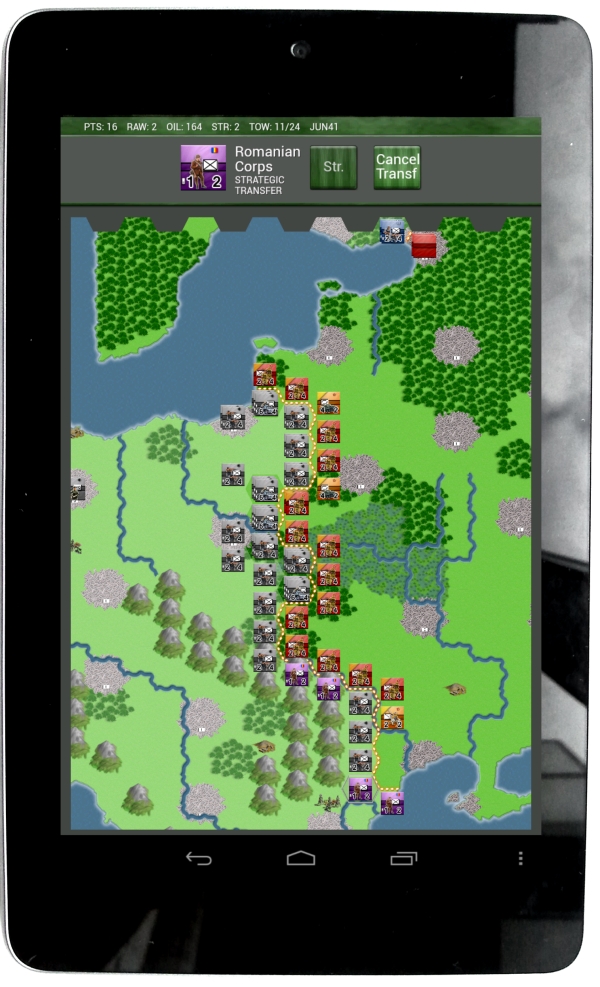
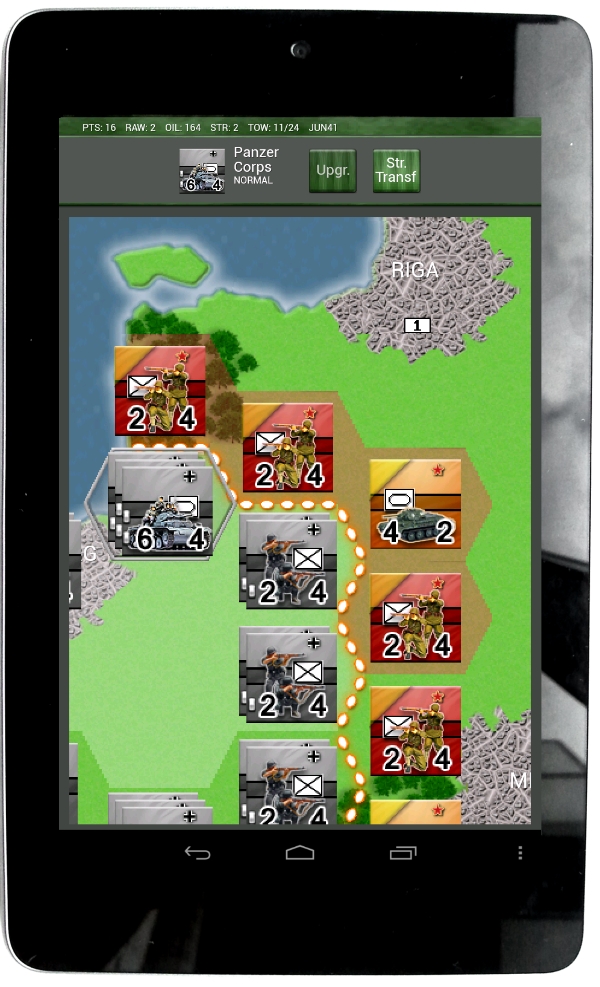
Eastern Front!Small General : Eastern Front is really close to release now. This post is basically about a really simple question: Anybody still experiencing bugs with the BETA version? Click here for more information and the download location of the BETA on Google Play. Click here for the manual and screenshots.

Posted in Small General | Leave a comment

Interview on artificial intelligence with the Gazette du Wargamer

Gazette du Wargamer interviewed VR Designs a few weeks ago on artificial intelligence design in wargames. Here is the english version of the interview:

1/ For you, what’s really an AI in a wargame. Several scripts and algorithms, of course, but anything more ?

V.R. For me it is most difficult and most challenging part of coding a wargame. It is really really difficult to make one. And its even harder to be fully satisfied with one. Every AI I make always ends up as a never-ending project. You could spend multiple lifetimes on making a good wargame AI. Really!

2/ For a PC wargame, what are the differents AI models ? And the differents software tools for developers ?

V.R. I don’t know. I code every AI I make from scratch. I don’t copy-cat any algorithms and do not use 3rd party libraries.

However I do see basically 2 types of AI you can code for a wargame. First there is the chess-based approach in which I let the AI iterate through all the moves without any preconception and for example use a scoring mechanism to judge the likely outcomes of those moves and decide how desirable those outcomes are. Second is the fuzzy-based approach in which I use fixed rules to determine the AI moves. The first approach is really slow and calculation heavy and the second approach is really fast. Sometimes I mix these approaches a little bit.

3/ What is possible with the computing power of a modern PC (more or less 2 years old) of good quality ? 3D asides, what other technicals constraints is there ?

V.R. Well no matter how fast a good modern PC is. You run out of time pretty quickly if you have a game of 400+ units and each unit can chose between 100s of moves. I am not sure how familiar readers are with permutation mathematics but even all PCs on the whole earth could probably not handle checking all possible combinations of moves for the opening round. Let’s not ever consider running some calculations a few rounds in to the future.

4/ Are some kind of wargames, so of historical conflicts, or scales of games, more appropriate for (current) AI ? If so, which one ?

V.R. Yes. Games with a very low unit count. Period.

5/ From your experience in game design, what technicals challenges have you meet ? Which one did you overcome ? Which one are still a barrier ?

V.R. I learned a lot coding different AIs for Advanced Tactics, Warsaw To Paris, Case Blue and Small General. The key thing I learned is that when I ever start a new engine I’ll have to adjust the design of the game to the AI instead of the other way around.

6/ Is an AI allied with the player (for a game including alliances and several factions) more simple or more complicated to build than a unique AI enemy of the player (for a game where there’s mainly one adversary) ?

V.R. I actually avoided coding this option, since to do this in a meaningfull way is really difficult. Team play with an AI requires some form of communication with the AI. You can see the problem right? For example: How to agree with the AI who takes which part of the frontline? How to divide the resources? How to coordinate doing encirclements or retreats with mixed up units ?

7/ In strategy games and wargames AI are very often better in attack than in defense, why ?

V.R. I am not sure that’s true. I found coding a defensive AI is actually easier. Though I might want to make an exception for a retreating AI, my AIs are usually pretty good in standing and fighting, but to retreat at the right moment is a hard skill to teach, as is reforming a shattered or damaged front somewhere further behind the lines.

8/ To what extent the perception of the AI from the player has to be taken into account ? Can an AI in a game just be less good strategically (than a human adversary), as long as it offers a good gameplay with its actions ? And so at the end, for a game, offers an entertaining result, thus something satisfying ?

V.R. It might be impossible to create an AI that is a von Manstein… But it should be possible to create an AI that is a Paulus or a Gamelin. I think mimicking the historical moves of these commanders is more than feasible with current AIs. However the limits of AI design usually show if the AI is playing the side that has to perform a feat of genius and mobility like for example the German offensive of the 3rd battle for Kharkov or Rommel in Africa. Also the limits of AI design show if you make games that are playable against Human players as well as AIs. The good human player will always do better, and the player will than often feel the AI is inadequate.

9/ For wargames, what development can we expect for AI in a relatively near future ? A crazy idea probably, if that was possible technically, could a wargame having part of its AI in the future (and rather hypothetical) « cloud » gain an advantage (ex : computing power, comparing moves in same other games) ?

V.R. Yes sure I think that’s possible. However raw calculation power can do only limited wonders. Talking about clouds, I myself toyed around with the idea of designing a wargame that uploads the AI experiences back to a central server and shares them with all the other AIs of all the other game copies in circulation. This way the AI might actually gather a database of what are likely human moves and reactions. The only thing that’s holding me back is that this sort of stuff is not like exactly easy coding

10/ A chess game has a board with 64 squares and 32 pieces. So a base less important than a good wargame, and far much less than some « monster wargames ». With 256 processors in parallel (allowing 200 millions move / sec.), in 1996-97 Deep Blue has finally beaten the world chess champion Gary Kasparov.

In theory, well programmed, a computer do not make mistakes. But even with a super-computer, the machine still lacks a strategical vision, a global view ? If we increase the size of the « board game », for a wargaming simulation is it just a question of computing power ?

V.R. I already said something about this in question 3. The thing is… it is not only the number of squares and the number of pieces. It’s mainly the fact that in chess you can move 1 piece per round, In a wargame you can move all pieces every round. No super-computer can handle a rough processing power based AI approach for any serious wargame.

11/ Tiebreaker question : If in a wargame an AI could beat certainly an experienced wargamer, whatever the simulated theatre of operations, does a good game have to limit the AI to necessarily let the player win ?

V.R. This is a very speculative question. As I said earlier: I do not see this happening. But well… if it happens… Yes then you would have to code in some low level difficulty settings in which you actually handicap the AI. Let it misjudge situations… Let it forget to see certain units… It should be fun to code

Note: Keep an eye on Gazette du Wargamer for interviews on AI design with other wargame designers.

Posted in Artificial Intelligence, DC:Case Blue, Game Design | Leave a comment

DC Editor Q & A : Adding a new type of historical unit

Welcome back to the Q&A. In this episode I’ll discuss how to add a new type of historical unit model to a scenario. Existing historical unit models are like Infantry Divisions and Corps HQs for example. For this tutorial I am going to add a Coastal Garrison Group for the German side. Basically it will be a kampfgruppe with some artillery and infantry and it is supposed to be used in garrisoning port hexes on the Black Sea and Sea of Azov coastlines to free up formations that could better be used at the front. The unit it self is an abstraction of various kinds of troops that secured the coastlines in reality and its main intended function in the scenario is just to provide the Germans with some extra weak units, that when well entrenched will be able to hold a urban hex quite well, while at the same time being able to shell any enemy in neighbouring (sea) hexes.

First I will create a new NATO counter. I use the great freeware program Paint.NET myself for editing and creating graphics. I am first going to design the new nato counter. So here is my take:

I think the anchor clearly indicates this unit being a coastal garrison group. I save the big version 76×76 pixels as “graphics/dccbmodgraphicsBIG/natocounters/20.png” overwriting an existing natocounter that was not being used by any of my scenarios. But I could just as well have saved it as “183.png” (the next one… since 182 nato counters exist in my scenario as of writing). I also make a 38×38 pixel variant and save it in “dccbmodgraphics/natocounters/20.png” and a 19×9 pixel variant and save it in “dccbmodgraphicsSMALL/natocounters/20.png”
Keep in mind you need to create and save these nato counters before starting up the game to make sure the editor will find them. This is because the nato counters are loaded as part of the so called systemgraphics. Its not ideal I must admit, but it is the way things are for now.

Anywho… We saved our 3 different sizes of 20.png in their respective directories and no start up the game and open the scenario we want to edit (in my case Trappenjagd that I use as a master for all vanilla scenarios).

We now go to the units window and add a new predef unit that reflects the ideal complement of a Coastal Garrison Group:

We now go to the historical units window, create a new historical unit and name it “Coastal Garrison Group” and set it to regime=0 (Germany):

We then are going to properly set some of this historical units properties:

We set the first subpart (slot 0) to the predef unit we created before. The editor also asks for a designation and we just put -1 here since we do not want any.
We set model=true since this is a model for multiple instances of Coastal Garrison groups.
We set the shortname (in the top right) to ‘coast’ and the nato counter (in the top right) to ‘20’ (the graphic we just saved).
We set the counter numbering info to -1 (and in the next 2 popups to 0) because we do not want these Coastal Garrison Groups to be numbered (like for example infantry divisions are).
That’s basically it. We just created a new historical unit model with a newly created graphic for its counter.

If we now go back to the map. We can select a hex and press the ‘HOME’-key to place an instance of this model. It will ask you if you want to autoname and you will say yes.
And this how it will look:

Thank you for your attention and see you next time with the next DC Editor Q&A!

Posted in Uncategorized | Leave a comment

Small General Eastern Front BETA for Android

Eastern Front!A new Small General game just entered the BETA phase. If you have an Android smartphone or tablet with v2.3.0 or higher you can try it out right now. Click here for more information and the download location on Google Play. Click here for the manual and screenshots. Hope you all enjoy this new installment and don’t forget to give feedback on any bugs you might find in this BETA. Final release is scheduled for end of August or early September depending on how the BETA testing will go.

Posted in Small General | 3 Comments

How do the seasons & the weather work?

Welcome back to the editor Q&A. Weather and seasons is something you might want to implement your self or maybe you like to finetune the current weather and seasons in the Case Blue vanilla scenarios? In either case you will be helped by understanding how they are currently scripted and defined.

3 different parts of the editor work together here: First there are a number of events. Second there is a stringlist and third each hex on the map has a slot value assigned.

Lets start with the easiest part. The slot values. Click on Pick Draw Type button in the map window and then select “slots” and then “3) Season delay” and then select a value of choice in the rightmost column and press “OK”.

On each hex you’ll now see the current “Season delay”. These values will be read and used in the weather events which we’ll discuss later. The number on a hex is basically the delay in days for the onset of winter weather. As you can see on the map high mountains have 0 delay, low mountains 20 delay, plains about 80 delay. But we are quite far south and the more north you go the lower the delay will become untill it reaches 0. The reason for this whole excercises is to have the winter slowly drop over the map from North to South (and mountain areas earlier than plains). I could have chosen to make the whole map change from one round to the next but I think this feels more realistic. (tip: right clicking on the map allows you to select a hex without changing it)

Now lets go the stringlist. Go to the stringlist window (button next to ‘string’ text). Here in the left list box click on the stringlist “Landscape Season Matrix”.

Stringlists are basically comparable to rudimentary excell sheets (and can be exported and imported from CSV files). This stringlist (ID=36) is used by the weather events to change the landscape type of hex based upon the current weather situation of the hex. There are 3 possibilities: Clear , Mud or Snow. If you look at the row number equal to the current landscape type # of the hex you can look up the landscape type # it has to change to for each of these cases.

So there is some data kept in the slots of the hexes and in a stringlist, but the meat of the weather and season functionality is in the events. Please go to the events window and select the “weather” category.

Here we have 5 events. Lets discuss them all.

Event 8 has only 1 line and at the start of a round (just before the start of the first turn) it resets the gameslot_weather_changed_this_round to value 0.

Event 9 now is going to determine if it will be a rain or snow turn.


0) CHECK: Gameslot_Disable Weather(#67) < 1 1) CHECK: Gameslot_Weather changed this round(#62) < 1 2) CHECK: CheckTurn == 0 3) SETVAR: Gameslot_Weather changed this round(#62) = 1 4) END CHECK 5) CHECK: CheckTurn == 1 6) SETVAR: Gameslot_Weather changed this round(#62) = 0 7) END CHECK 8) ' if changed = 1 go 9) CHECK: Gameslot_Weather changed this round(#62) == 1 10) SETVAR: TempVar1 = CheckRandomPercent 11) SETVAR: TempVar9 = CheckRandomPercent 12) SETVAR: TempVar9 / 10 13) SETVAR: TempVar9 + 1 14) CHECK: TempVar1 < 33 15) SETVAR: Gameslot_Weather Random Change(#61) - TempVar9 16) END CHECK 17) CHECK: TempVar1 > 66
18) SETVAR: Gameslot_Weather Random Change(#61) + TempVar9
19) END CHECK
20) CHECK: Gameslot_Weather Random Change(#61) > 14
21) SETVAR: Gameslot_Weather Random Change(#61) = 14
22) END CHECK
23) CHECK: Gameslot_Weather Random Change(#61) < -14 24) SETVAR: Gameslot_Weather Random Change(#61) = -14 25) END CHECK 26) SETVAR: Gameslot_Presperation Last Round?(#29) = Gameslot_Presperation Round(#63) 27) SETVAR: Gameslot_Presperation Round(#63) = 0 28) CHECK: Gameslot_Disable Weather(#67) < 1 29) CHECK: CheckRound > 1
30) CHECK: CheckRandomPercent < 25 31) CHECK: Gameslot_Presperation Last Round?(#29) < 1 32) SETVAR: Gameslot_Presperation Round(#63) = 1 33) END CHECK 34) END CHECK 35) END CHECK 36) END CHECK 37) END CHECK 38) END CHECK 39) END CHECK

In line 0 we check if the weather rules have not been disabled, which can be the case if a variant in the scenario setup screen is enabled by the player.

The next lines in this algorithm are actually quite ugly (and I should recode them) but basically have as effect that only in turn 0 the weather can change.

In Lines 10-25 the Gameslot_Weather Random Change is increased or decreased with max 10. The resulting value can max be +14 or minimally be -14. The Gameslot_Weather Random Change will be used in the next event to determine the actual landscape state of a hex.

The remaining lines determine if this is a snow/rain round by possibly setting Gameslot_Presperation Round to 1. Observe that i added extra code here remembering the presperation state of the last round to make sure we never have 2 rain/snow rounds in a row.

Event 10 is the most important and longest event. Here the first part of the code in this event:


0) CHECK: Gameslot_Weather changed this round(#62) == 1
1) SETVAR: Gameslot_Weather changed this round(#62) = 2
2) ' we just set that gameslot to 2 so its only changed once every round
3) SETVAR: TempVar3 = -90
4) CHECK: CheckMonth == 10
5) SETVAR: TempVar3 = -15
6) SETVAR: TempVar3 + CheckDay
7) SETVAR: TempVar3 + Gameslot_Weather Random Change(#61)
8) END CHECK
9) CHECK: CheckMonth == 11
10) SETVAR: TempVar3 = 15
11) SETVAR: TempVar3 + CheckDay
12) SETVAR: TempVar3 + Gameslot_Weather Random Change(#61)
13) END CHECK
14) CHECK: CheckMonth == 12
15) SETVAR: TempVar3 = 45
16) SETVAR: TempVar3 + CheckDay
17) SETVAR: TempVar3 + Gameslot_Weather Random Change(#61)
18) END CHECK
19) CHECK: CheckMonth == 1
20) SETVAR: TempVar3 = 75
21) SETVAR: TempVar3 - Gameslot_Weather Random Change(#61)
22) END CHECK
23) CHECK: CheckMonth == 2
24) SETVAR: TempVar3 = 75
25) SETVAR: TempVar3 - CheckDay
26) SETVAR: TempVar3 - Gameslot_Weather Random Change(#61)
27) END CHECK
28) CHECK: CheckMonth == 3
29) SETVAR: TempVar3 = 45
30) SETVAR: TempVar3 - CheckDay
31) SETVAR: TempVar3 - Gameslot_Weather Random Change(#61)
32) END CHECK
33) CHECK: CheckMonth == 4
34) SETVAR: TempVar3 = 15
35) SETVAR: TempVar3 - CheckDay
36) SETVAR: TempVar3 - Gameslot_Weather Random Change(#61)
37) END CHECK
38) SETVAR: TempVar3 + Gameslot_Weather Random Change(#61)

In Line 1-3 we make sure this event is only executed once a round. Since after executing once the Gameslot_Weather changed this round(#62) = 2 will cause it not to be again untill next round causes event 8 to be executed again.

Now the remaining lines determine the value of tempvar3 (tempvars are only remembered within an event execution).
Tempvar 3 will be set to 75 in the heart of winter and will be set lower, dropping to 0 if earlier in winter and the same if later in winter.
Oktober 16 is the first day to have a higher than 0 tempvar3 value and April 15 the first day to reach 0 again.
You can observe that the in the previous event randomized Gameslot_Weather Random adds some variablity to the onset of winter. (although admittedly not on the end date as i have to admit now i review this event again - i think line 38 should be removed from this event to make it work as intended - always good to find a small glitch to patch)
Anywo we no have a tempvar 3 value set. Lets continue analysing this event 10.


39) ' and now go hex-by-hex:
40) LOOPER: TempVar0 FROM 0 TO CheckMapWidth
41) LOOPER: TempVar1 FROM 0 TO CheckMapHeight
42) '
43) SETVAR: TempVar4 = TempVar3
44) SETVAR: TempVar9 = CheckSlot(TempVar0, TempVar1, 3)
45) SETVAR: TempVar9 / 2
46) SETVAR: TempVar4 - TempVar9
47) SETVAR: TempVar5 = CheckLandscapeType(TempVar0, TempVar1)
48) SETVAR: TempVar6 = CheckStringList(36, TempVar5, 3)
49) '
50) CHECK: TempVar6 == 1
51) CHECK: TempVar4 > 0
52) CHECK: TempVar9 < 50 53) ' summer landscape and its freezing now 54) SETVAR: TempVar7 = CheckStringList(36, TempVar5, 2) 55) EXECUTE: ExecSetLandscape(TempVar0, TempVar1, TempVar7) 56) EXECUTE: ExecSetSlot(TempVar0, TempVar1, 4, 1) 57) END CHECK 58) END CHECK 59) CHECK: TempVar4 < 1 60) ' summer stays summer, unless presperation round 61) CHECK: Gameslot_Presperation Round(#63) => 1
62) SETVAR: TempVar7 = CheckStringList(36, TempVar5, 1)
63) EXECUTE: ExecSetLandscape(TempVar0, TempVar1, TempVar7)
64) EXECUTE: ExecSetSlot(TempVar0, TempVar1, 4, 1)
65) EXECUTE: ExecChangeRoad(TempVar0, TempVar1, 0, 3)
66) EXECUTE: ExecChangeRoad(TempVar0, TempVar1, 1, 4)
67) EXECUTE: ExecChangeRoad(TempVar0, TempVar1, 2, 5)
68) END CHECK
69) END CHECK
70) END CHECK
71) '
72) CHECK: TempVar6 == 2
73) CHECK: TempVar4 > 0
74) ' mud landscape and it is freezing now
75) CHECK: TempVar9 < 50 76) SETVAR: TempVar7 = CheckStringList(36, TempVar5, 2) 77) EXECUTE: ExecSetLandscape(TempVar0, TempVar1, TempVar7) 78) SETVAR: TempVar8 = CheckSlot(TempVar0, TempVar1, 4) 79) SETVAR: TempVar8 + 1 80) SETVAR: TempVar8 = CheckMin(TempVar8, 8) 81) EXECUTE: ExecSetSlot(TempVar0, TempVar1, 4, TempVar8) 82) EXECUTE: ExecChangeRoad(TempVar0, TempVar1, 3, 0) 83) EXECUTE: ExecChangeRoad(TempVar0, TempVar1, 4, 1) 84) EXECUTE: ExecChangeRoad(TempVar0, TempVar1, 5, 2) 85) END CHECK 86) END CHECK 87) CHECK: TempVar4 < 1 88) CHECK: Gameslot_Presperation Round(#63) < 1 89) ' mud becomes summer 90) SETVAR: TempVar8 = CheckSlot(TempVar0, TempVar1, 4) 91) SETVAR: TempVar8 - 1 92) SETVAR: TempVar8 = CheckMax(TempVar8, 0) 93) EXECUTE: ExecSetSlot(TempVar0, TempVar1, 4, TempVar8) 94) CHECK: TempVar8 < 1 95) SETVAR: TempVar7 = CheckStringList(36, TempVar5, 0) 96) EXECUTE: ExecSetLandscape(TempVar0, TempVar1, TempVar7) 97) EXECUTE: ExecChangeRoad(TempVar0, TempVar1, 3, 0) 98) EXECUTE: ExecChangeRoad(TempVar0, TempVar1, 4, 1) 99) EXECUTE: ExecChangeRoad(TempVar0, TempVar1, 5, 2) 100) END CHECK 101) END CHECK 102) END CHECK 103) END CHECK 104) ' 105) CHECK: TempVar6 == 3 106) CHECK: TempVar4 > 0
107) ' snow landscape and it is still freezing now
108) SETVAR: TempVar8 = CheckSlot(TempVar0, TempVar1, 4)
109) SETVAR: TempVar8 + 1
110) SETVAR: TempVar8 = CheckMin(TempVar8, 8)
111) EXECUTE: ExecSetSlot(TempVar0, TempVar1, 4, TempVar8)
112) CHECK: TempVar8 > 7
113) EXECUTE: ExecChangeRiver(TempVar0, TempVar1, 0, 4)
114) END CHECK
115) CHECK: TempVar8 > 5
116) EXECUTE: ExecChangeRiver(TempVar0, TempVar1, 1, 5)
117) END CHECK
118) CHECK: TempVar8 > 1
119) EXECUTE: ExecChangeRiver(TempVar0, TempVar1, 2, 6)
120) END CHECK
121) CHECK: TempVar8 > 3
122) EXECUTE: ExecChangeRiver(TempVar0, TempVar1, 3, 7)
123) END CHECK
124) END CHECK
125) CHECK: TempVar4 < 1 126) ' snow becomes mud 127) SETVAR: TempVar8 = CheckSlot(TempVar0, TempVar1, 4) 128) SETVAR: TempVar8 - 1 129) SETVAR: TempVar8 = CheckMax(TempVar8, 0) 130) EXECUTE: ExecSetSlot(TempVar0, TempVar1, 4, TempVar8) 131) SETVAR: TempVar7 = CheckStringList(36, TempVar5, 1) 132) EXECUTE: ExecSetLandscape(TempVar0, TempVar1, TempVar7) 133) EXECUTE: ExecChangeRoad(TempVar0, TempVar1, 0, 3) 134) EXECUTE: ExecChangeRoad(TempVar0, TempVar1, 1, 4) 135) EXECUTE: ExecChangeRoad(TempVar0, TempVar1, 2, 5) 136) EXECUTE: ExecChangeRiver(TempVar0, TempVar1, 7, 3) 137) EXECUTE: ExecChangeRiver(TempVar0, TempVar1, 6, 2) 138) EXECUTE: ExecChangeRiver(TempVar0, TempVar1, 5, 1) 139) EXECUTE: ExecChangeRiver(TempVar0, TempVar1, 4, 0) 140) END CHECK 141) END CHECK 142) ' 143) END LOOPER 144) END LOOPER 145) END CHECK

Line 40-41 & Line 143-144 loop the remaining code through all hexes on the map.
Then for each hex the landscape type # is noted down (Line 47), the already discussed seasonal delay of the hex is noted down (Line 44).
Tempvar3 we calculated earlier is copied in tempvar4 and tempvar4 is reduced with the seasonal delay (divided by 2) of the hex.
In Line 48 its determined if the current Landscape Type of the hex signifies clear state (value 1), mud state (value 2) or snow state (value 3).

Now based on current state of the Landscape Type 3 big code blocks remain.

Line 50-70 handle currently clear landscape types. If tempvar40 is above 0 it means the landscape type will change to its winter variant. This is done by looking up in line 54 the stringlist (ID=36) what this landscapetype morphs to when it becomes winter. The landscapetype of the hex is then actually changed in line 55. Also note that slot value 4 of the hex is set to 1 in line 56. This slot 4 keeps track of the number of snow turns a hex has experienced in a row (in order to determine how many mud turns will result when it starts melting again).
Line 61-68 deal with it staying summer but putting in effect a rain turn. If so the hex landcape type will be changed to the correct mud landscape type. Also the roads in the hex are changed to their mud variants.

Line 72-103 handles currently mud landscape types. Line 75-85 handle mud becoming winter variants. Line 88-101 handle mud trying to become summer landscape. Note here that the value in slot 4 of the hex is maximized to 8 and then decreased with 1. Only when it reaches 0 will the hex be allowed to change from mud to clear. After the end of winter this means you'll have two weeks of mud.

Line 105-140 handles snow landscape types. Interesting to note here is that if a winter hex stays winter the slot 4 is raised again. At specific values of subsequent winter rounds in the hex rivers start freezing over (small ones first, bigger ones later on).

Well... that was event 10. I hope you are able to wrap your head around it. To be honest: this is one of the most difficult events around.

Event 11 just sends a message to both players notifying them what sort of weather it is this round. Interesting here is that based on the date the eventpicture (you can define and load them in the settings window) used as an illustration for the message is changed.

Event 43 removes offensive/defensive bonusses on aircraft if clear weather and and adds them if rain/snow round. Also it diminishes the number of action points available for air units. Its quite straightforward.

I am not sure if you noticed it but as you can see not a single thing about the weather and seasonal system has been hardcoded.
I know its not easy to make something like this weather & seasons system, but if you can wrap your head around it the sky is the limit.
Obvious extensions to the current system would include a weather report in which you get a prediction of the weather the coming rounds and adding blizzard turns in winter.

And that concludes this rather extensive Q&A episode. Thank you for tuning in. See you next time!

Posted in Uncategorized | Leave a comment