Video AAR on Advanced Tactics Gold

Check out this excellent video after-action-report and tutorial for ATG of Das123 on YouTube:

Posted in ATG: Advanced Tactics Gold | Leave a comment

Case Blue earns Order of the Hex award!

Order of the HexReviewer James Cobb from Grogheads.com seems to also really like Decisive Campaigns : Case Blue: “Finding a sweet spot on the Eastern Front is tougher than supplying Stalingrad by air. This is a must-have for wargamers looking for the right mix of detail and abstraction on the Eastern Front.” Read more on Grogheads.com.

Posted in DC:Case Blue | Leave a comment

Small General : Last call for bugs!

Eastern Front!Small General : Eastern Front is really close to release now. This post is basically about a really simple question: Anybody still experiencing bugs with the BETA version? Click here for more information and the download location of the BETA on Google Play. Click here for the manual and screenshots.

Posted in Small General | Leave a comment

Interview on artificial intelligence with the Gazette du Wargamer

Gazette du Wargamer interviewed VR Designs a few weeks ago on artificial intelligence design in wargames. Here is the english version of the interview:

1/ For you, what’s really an AI in a wargame. Several scripts and algorithms, of course, but anything more ?

V.R. For me it is most difficult and most challenging part of coding a wargame. It is really really difficult to make one. And its even harder to be fully satisfied with one. Every AI I make always ends up as a never-ending project. You could spend multiple lifetimes on making a good wargame AI. Really!

2/ For a PC wargame, what are the differents AI models ? And the differents software tools for developers ?

V.R. I don’t know. I code every AI I make from scratch. I don’t copy-cat any algorithms and do not use 3rd party libraries.

However I do see basically 2 types of AI you can code for a wargame. First there is the chess-based approach in which I let the AI iterate through all the moves without any preconception and for example use a scoring mechanism to judge the likely outcomes of those moves and decide how desirable those outcomes are. Second is the fuzzy-based approach in which I use fixed rules to determine the AI moves. The first approach is really slow and calculation heavy and the second approach is really fast. Sometimes I mix these approaches a little bit.

3/ What is possible with the computing power of a modern PC (more or less 2 years old) of good quality ? 3D asides, what other technicals constraints is there ?

V.R. Well no matter how fast a good modern PC is. You run out of time pretty quickly if you have a game of 400+ units and each unit can chose between 100s of moves. I am not sure how familiar readers are with permutation mathematics but even all PCs on the whole earth could probably not handle checking all possible combinations of moves for the opening round. Let’s not ever consider running some calculations a few rounds in to the future.

4/ Are some kind of wargames, so of historical conflicts, or scales of games, more appropriate for (current) AI ? If so, which one ?

V.R. Yes. Games with a very low unit count. Period.

5/ From your experience in game design, what technicals challenges have you meet ? Which one did you overcome ? Which one are still a barrier ?

V.R. I learned a lot coding different AIs for Advanced Tactics, Warsaw To Paris, Case Blue and Small General. The key thing I learned is that when I ever start a new engine I’ll have to adjust the design of the game to the AI instead of the other way around.

6/ Is an AI allied with the player (for a game including alliances and several factions) more simple or more complicated to build than a unique AI enemy of the player (for a game where there’s mainly one adversary) ?

V.R. I actually avoided coding this option, since to do this in a meaningfull way is really difficult. Team play with an AI requires some form of communication with the AI. You can see the problem right? For example: How to agree with the AI who takes which part of the frontline? How to divide the resources? How to coordinate doing encirclements or retreats with mixed up units ?

7/ In strategy games and wargames AI are very often better in attack than in defense, why ?

V.R. I am not sure that’s true. I found coding a defensive AI is actually easier. Though I might want to make an exception for a retreating AI, my AIs are usually pretty good in standing and fighting, but to retreat at the right moment is a hard skill to teach, as is reforming a shattered or damaged front somewhere further behind the lines.

8/ To what extent the perception of the AI from the player has to be taken into account ? Can an AI in a game just be less good strategically (than a human adversary), as long as it offers a good gameplay with its actions ? And so at the end, for a game, offers an entertaining result, thus something satisfying ?

V.R. It might be impossible to create an AI that is a von Manstein… But it should be possible to create an AI that is a Paulus or a Gamelin. I think mimicking the historical moves of these commanders is more than feasible with current AIs. However the limits of AI design usually show if the AI is playing the side that has to perform a feat of genius and mobility like for example the German offensive of the 3rd battle for Kharkov or Rommel in Africa. Also the limits of AI design show if you make games that are playable against Human players as well as AIs. The good human player will always do better, and the player will than often feel the AI is inadequate.

9/ For wargames, what development can we expect for AI in a relatively near future ? A crazy idea probably, if that was possible technically, could a wargame having part of its AI in the future (and rather hypothetical) « cloud » gain an advantage (ex : computing power, comparing moves in same other games) ?

V.R. Yes sure I think that’s possible. However raw calculation power can do only limited wonders. Talking about clouds, I myself toyed around with the idea of designing a wargame that uploads the AI experiences back to a central server and shares them with all the other AIs of all the other game copies in circulation. This way the AI might actually gather a database of what are likely human moves and reactions. The only thing that’s holding me back is that this sort of stuff is not like exactly easy coding

10/ A chess game has a board with 64 squares and 32 pieces. So a base less important than a good wargame, and far much less than some « monster wargames ». With 256 processors in parallel (allowing 200 millions move / sec.), in 1996-97 Deep Blue has finally beaten the world chess champion Gary Kasparov.

In theory, well programmed, a computer do not make mistakes. But even with a super-computer, the machine still lacks a strategical vision, a global view ? If we increase the size of the « board game », for a wargaming simulation is it just a question of computing power ?

V.R. I already said something about this in question 3. The thing is… it is not only the number of squares and the number of pieces. It’s mainly the fact that in chess you can move 1 piece per round, In a wargame you can move all pieces every round. No super-computer can handle a rough processing power based AI approach for any serious wargame.

11/ Tiebreaker question : If in a wargame an AI could beat certainly an experienced wargamer, whatever the simulated theatre of operations, does a good game have to limit the AI to necessarily let the player win ?

V.R. This is a very speculative question. As I said earlier: I do not see this happening. But well… if it happens… Yes then you would have to code in some low level difficulty settings in which you actually handicap the AI. Let it misjudge situations… Let it forget to see certain units… It should be fun to code

Note: Keep an eye on Gazette du Wargamer for interviews on AI design with other wargame designers.

Posted in Artificial Intelligence, DC:Case Blue, Game Design | Leave a comment

DC Editor Q & A : Adding a new type of historical unit

Welcome back to the Q&A. In this episode I’ll discuss how to add a new type of historical unit model to a scenario. Existing historical unit models are like Infantry Divisions and Corps HQs for example. For this tutorial I am going to add a Coastal Garrison Group for the German side. Basically it will be a kampfgruppe with some artillery and infantry and it is supposed to be used in garrisoning port hexes on the Black Sea and Sea of Azov coastlines to free up formations that could better be used at the front. The unit it self is an abstraction of various kinds of troops that secured the coastlines in reality and its main intended function in the scenario is just to provide the Germans with some extra weak units, that when well entrenched will be able to hold a urban hex quite well, while at the same time being able to shell any enemy in neighbouring (sea) hexes.

First I will create a new NATO counter. I use the great freeware program Paint.NET myself for editing and creating graphics. I am first going to design the new nato counter. So here is my take:

I think the anchor clearly indicates this unit being a coastal garrison group. I save the big version 76×76 pixels as “graphics/dccbmodgraphicsBIG/natocounters/20.png” overwriting an existing natocounter that was not being used by any of my scenarios. But I could just as well have saved it as “183.png” (the next one… since 182 nato counters exist in my scenario as of writing). I also make a 38×38 pixel variant and save it in “dccbmodgraphics/natocounters/20.png” and a 19×9 pixel variant and save it in “dccbmodgraphicsSMALL/natocounters/20.png”
Keep in mind you need to create and save these nato counters before starting up the game to make sure the editor will find them. This is because the nato counters are loaded as part of the so called systemgraphics. Its not ideal I must admit, but it is the way things are for now.

Anywho… We saved our 3 different sizes of 20.png in their respective directories and no start up the game and open the scenario we want to edit (in my case Trappenjagd that I use as a master for all vanilla scenarios).

We now go to the units window and add a new predef unit that reflects the ideal complement of a Coastal Garrison Group:

We now go to the historical units window, create a new historical unit and name it “Coastal Garrison Group” and set it to regime=0 (Germany):

We then are going to properly set some of this historical units properties:

We set the first subpart (slot 0) to the predef unit we created before. The editor also asks for a designation and we just put -1 here since we do not want any.
We set model=true since this is a model for multiple instances of Coastal Garrison groups.
We set the shortname (in the top right) to ‘coast’ and the nato counter (in the top right) to ‘20’ (the graphic we just saved).
We set the counter numbering info to -1 (and in the next 2 popups to 0) because we do not want these Coastal Garrison Groups to be numbered (like for example infantry divisions are).
That’s basically it. We just created a new historical unit model with a newly created graphic for its counter.

If we now go back to the map. We can select a hex and press the ‘HOME’-key to place an instance of this model. It will ask you if you want to autoname and you will say yes.
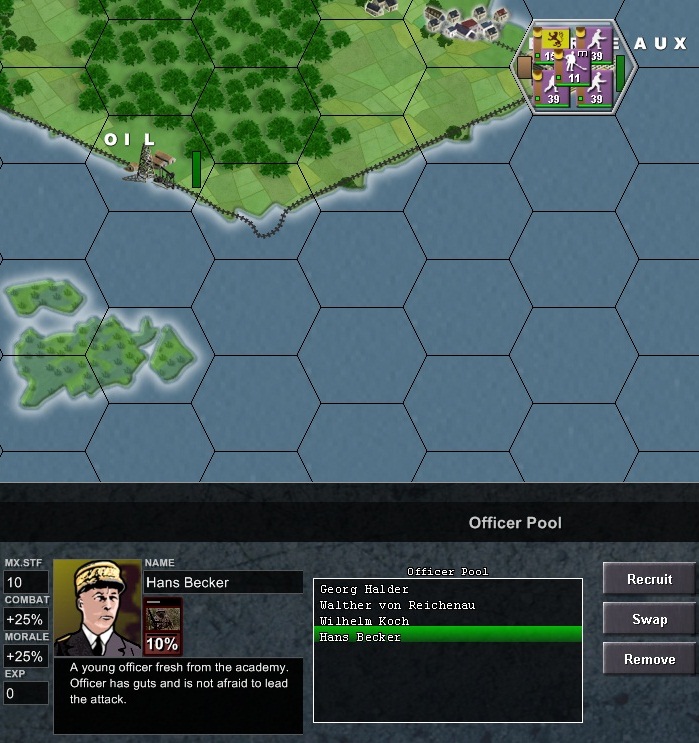
And this how it will look:

Thank you for your attention and see you next time with the next DC Editor Q&A!

Posted in Uncategorized | Leave a comment

Small General Eastern Front BETA for Android

Eastern Front!A new Small General game just entered the BETA phase. If you have an Android smartphone or tablet with v2.3.0 or higher you can try it out right now. Click here for more information and the download location on Google Play. Click here for the manual and screenshots. Hope you all enjoy this new installment and don’t forget to give feedback on any bugs you might find in this BETA. Final release is scheduled for end of August or early September depending on how the BETA testing will go.

Posted in Small General | 3 Comments